
Open the official ZIN99 entry
Use the button on this page, then confirm the zin99.com address before entering account details.
Public form verified 21 Aug 2026
Use this checklist to reach the official registration dialog and understand what was publicly visible at review time. Any post-submit verification, eligibility or promotion step must come from your live session.
Use the button on this page, then confirm the zin99.com address before entering account details.
The official public page currently opens a Register dialog from its public entry.
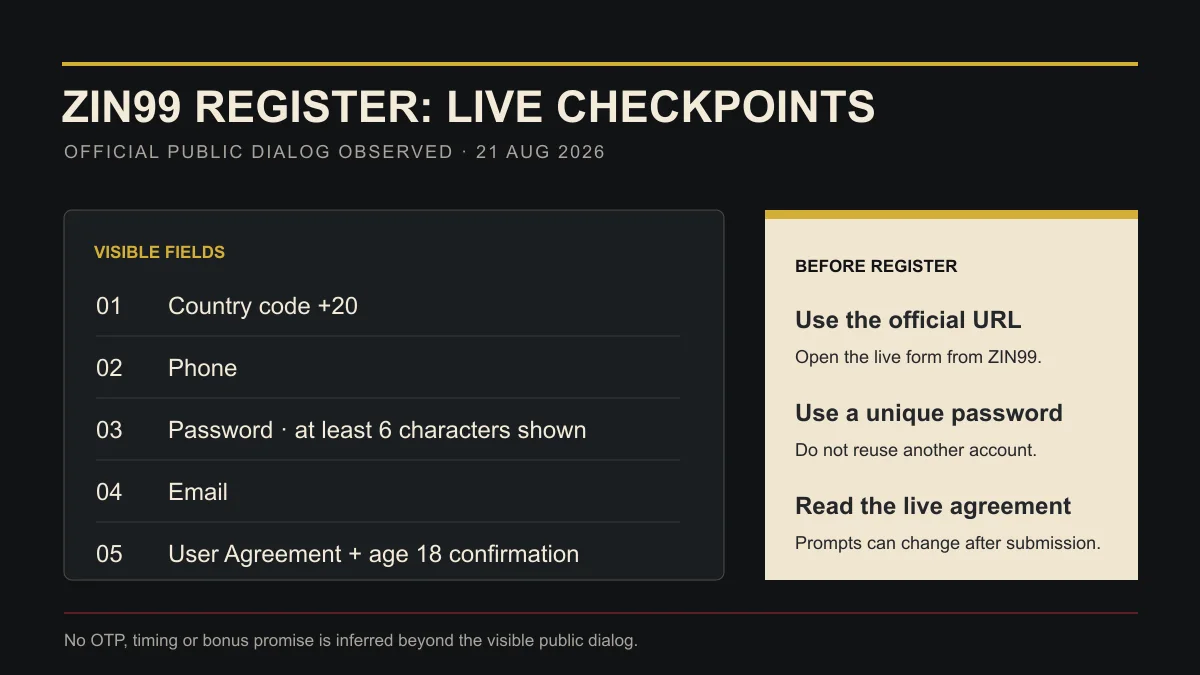
On 21 August 2026, the dialog showed country code +20, Phone, Password and Email. Follow the live labels if they change.
The visible form asks you to agree to the User Agreement and confirm you are at least 18. Read the current text before accepting.
The public dialog does not prove what happens after submission. Complete only the verification steps shown in your live session.
Observed on the official public page
Not inferred
During our 21 August 2026 public-page check, the Register dialog showed +20, Phone, Password, Email, an agreement and age confirmation. The screen may change, so treat the live form as the source of truth.
We did not submit personal data, and the public dialog did not expose an OTP step. This guide therefore does not promise or deny a later verification step; follow the live prompt after submission.
The form currently says at least 6 characters. For stronger account hygiene, use a long, random, unique password and save it in a password manager rather than reusing another account’s password.
Promotions are visible on the public product, but eligibility and terms can change. Check the current promotion and account-side terms instead of relying on a cached amount here.
Open the official entry, read the current agreement and continue only when the on-screen details match your session.
Open Official Registration